Privacy & Security Settings Guides
Printable, step-by-step guides to the settings that protect your accounts, your phone, and your whereabouts. Free to download, print, and share with the people you look out for.
Each guide covers one app or device, in the order we'd go through it with you. Start with the one you use most and take it one section at a time — there's no need to do it all in one sitting.
Every step was checked in October 2026. Apps move their menus around often, so we review these guides every quarter.
Social media
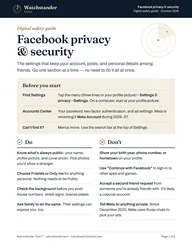
Privacy Checkup, two-factor sign-in, who sees your posts, tags, location, ad settings, and what to do if you're hacked.
Open the guide →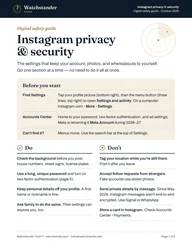
A private account, who can message you, tags and mentions, location in photos, sign-in security, and old app connections.
Open the guide →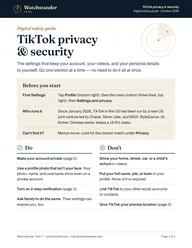
TikTok
A private account, comments and messages, location and ads, sign-in security, and settings for families with teens.
Open the guide →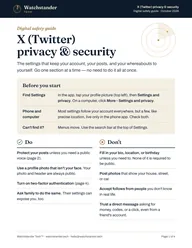
X (Twitter)
Protecting your posts, who can contact you, location, data sharing and AI training, and sign-in security.
Open the guide →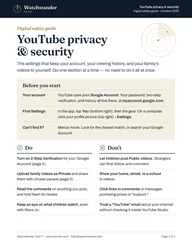
YouTube
Your Google Account sign-in, watch and search history, who sees your videos, comments, and settings for kids.
Open the guide →Phones, shopping & travel
iPhone
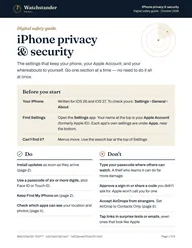
Updates and screen lock, Find My, your Apple Account, Safety Check, location, tracking, Safari, and scam call filters.
Open the guide →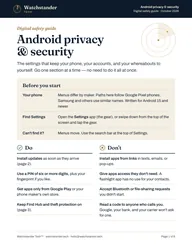
Android
Updates and screen lock, theft protection, location and app permissions, ads and tracking, and spotting bad apps.
Open the guide →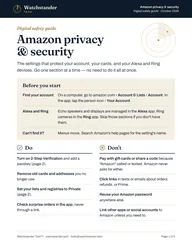
Amazon
Two-step sign-in and passkeys, private lists, Alexa and Ring privacy, ad settings, family accounts, and gift card scams.
Open the guide →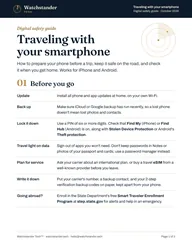
Traveling with your smartphone
Getting your phone ready before a trip, keeping it safe on the road and at the border, and checking it once you're home.
Open the guide →Getting the most from them
- If a setting isn't where the guide says, type its name into the app's settings search bar. Menus move, but the names usually stay.
- Run into a word you don't know? Our plain-English glossary explains it.
- Do your own accounts first, then help a parent or teen with theirs. Their settings can expose you, too.
Free to print and share
Print a guide for a parent, hand copies out at a club meeting, or email one to a friend. All we ask is that you share them as they are, with our name and contact details left on. If your group would like a class built around them, let us know.
Rather do it together?
We'll go through any of these guides with you, on your own phone and accounts, at your pace — by video call or at your home. It's exactly what our one-on-one sessions are for.
Facebook, Instagram, and Meta are trademarks of Meta Platforms, Inc. TikTok is a trademark of ByteDance Ltd. X is a trademark of X Corp. YouTube, Google, and Android are trademarks of Google LLC. iPhone is a trademark of Apple Inc. Amazon, Alexa, and Ring are trademarks of Amazon.com, Inc. or its affiliates. Watchstander Tech is not affiliated with or endorsed by any of these companies. These guides are general information, not legal advice.